
Ready to Enhance Your Teaching This Semester?
Join CCIT on Thursday, January 8th for our Welcome Back professional development series. Sessions will cover D2L Brightspace essentials, advanced HTML templates with AI integration, course personalization strategies, and data analytics beyond grading. Additional workshops include efficiency-boosting tech tips, digital accessibility, effective grading strategies, and time-saving Brightspace tools to help you create engaging learning environments this semester.
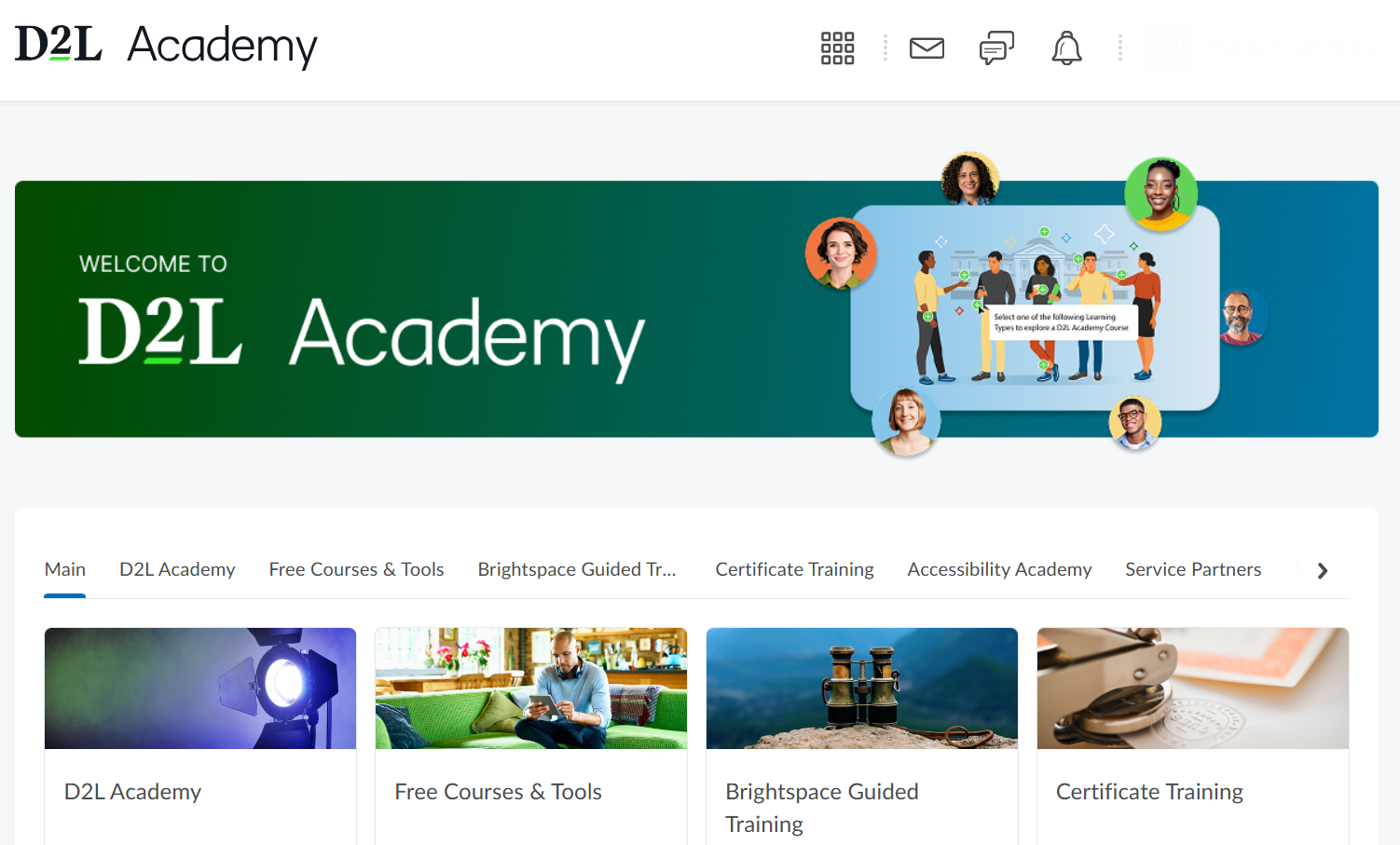
Have you tried D2L Academy?
D2L Brightspace recently introduced D2L Academy, a new training platform designed to help instructors build confidence and skills in using D2L Brightspace. Faculty can log in with their Brightspace Community account to access guided lessons, explore key features, and earn digital badges as they progress. The Academy includes an Accessibility Lab and resources on applying Universal Design for Learning (UDL) principles to create more inclusive courses. It’s a helpful starting point for anyone new to Brightspace or for anyone looking to deepen their expertise. With hands-on practice and self-paced modules, Brightspace Academy makes learning about D2L Brightspace fun and rewarding!

Highlights of New Content Experience
Have you ever noticed that you have two options for viewing and organizing your content in D2L Brightspace? The New Content Experience offers a cleaner, more visual way to organize courses using Units, Lessons, and Folders, while Classic Content relies on Modules and Submodules and supports more complex, detailed setups.
Classic is great for instructors who need granular control or rely on older features like advanced release conditions. In contrast, New Content Experience provides a streamlined, card-based layout with easier drag-and-drop tools, better mobile responsiveness, and a simple “Get Started/Continue” flow for students. Overall, Classic focuses on detailed structure, while New Content Experience emphasizes ease of use and an intuitive learning path.
The Classic Content Experience is turned on by default, but you can switch to the New Content Experience anytime. To learn more about the differences between the two Experiences, visit this article from Brightspace Community.
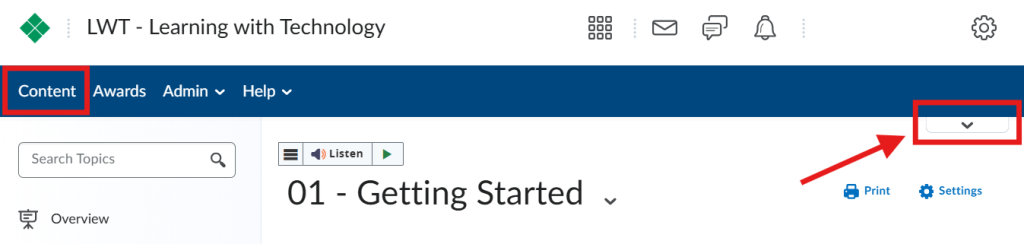
To switch on the New Content Experience, navigate to Content. Within Content, select the toggle in the top right of the screen.
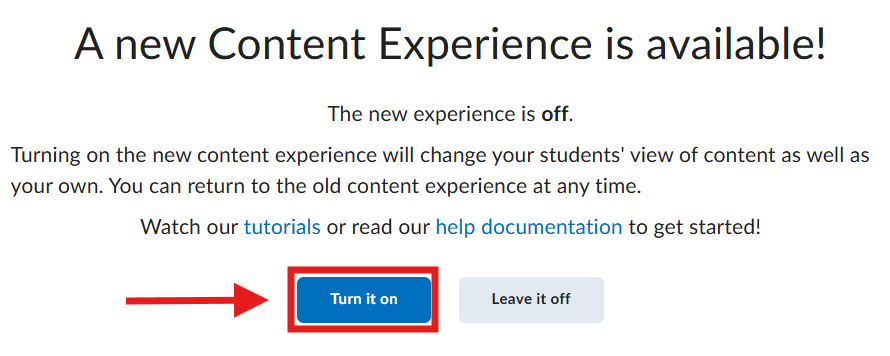
After you have selected the toggle, a message will appear allowing you to turn on the New Content Experience. The message also includes links to support resources.

Student Engagement
Engaging students in the college classroom is more than a teaching technique, it’s a catalyst for deeper learning and meaningful connections. When students feel actively involved, they are more likely to retain information, stay motivated, and experience greater satisfaction with the course. By incorporating intentional engagement strategies, professors can create dynamic learning environments that inspire curiosity and foster academic success.
- One effective strategy is through Activating Prior Knowledge. Begin by asking students what they already know about the topic before instruction begins. This step creates a bridge between existing understanding and new concepts. It also provides valuable insight for the instructor, allowing for adjustments in pacing and emphasis to better meet students’ needs.
- Think-Pair-Share is a highly effective strategy that seamlessly integrates into lectures to promote active learning. It encourages students to first reflect individually on a question or problem, then collaborate with a peer to exchange ideas before sharing with the larger group. This structured approach not only fosters critical thinking and communication skills but also creates an inclusive environment where every student has a voice.
- Inviting students to reflect on their learning through Exit Tickets is a simple yet powerful strategy. This approach gives students an opportunity to summarize key takeaways, identify areas of confusion, and engage in metacognitive thinking. At the same time, it provides instructors with actionable insights, enabling them to respond to students’ needs and adjust instruction accordingly.
Read more about these activities and others, from Stanford Teaching Commons.

Last semester’s Lunch and Learn series explored how emerging technologies can enhance teaching while keeping humanity at the heart of education. Each session invited faculty to reflect on ways tools can support learning without replacing the vital connections and community educators create. These conversations are now available as recorded videos, offering practical insights and inspiration for your classroom.
To view last semester’s recordings visit the Lunch and Learn webpage.