Exciting News!
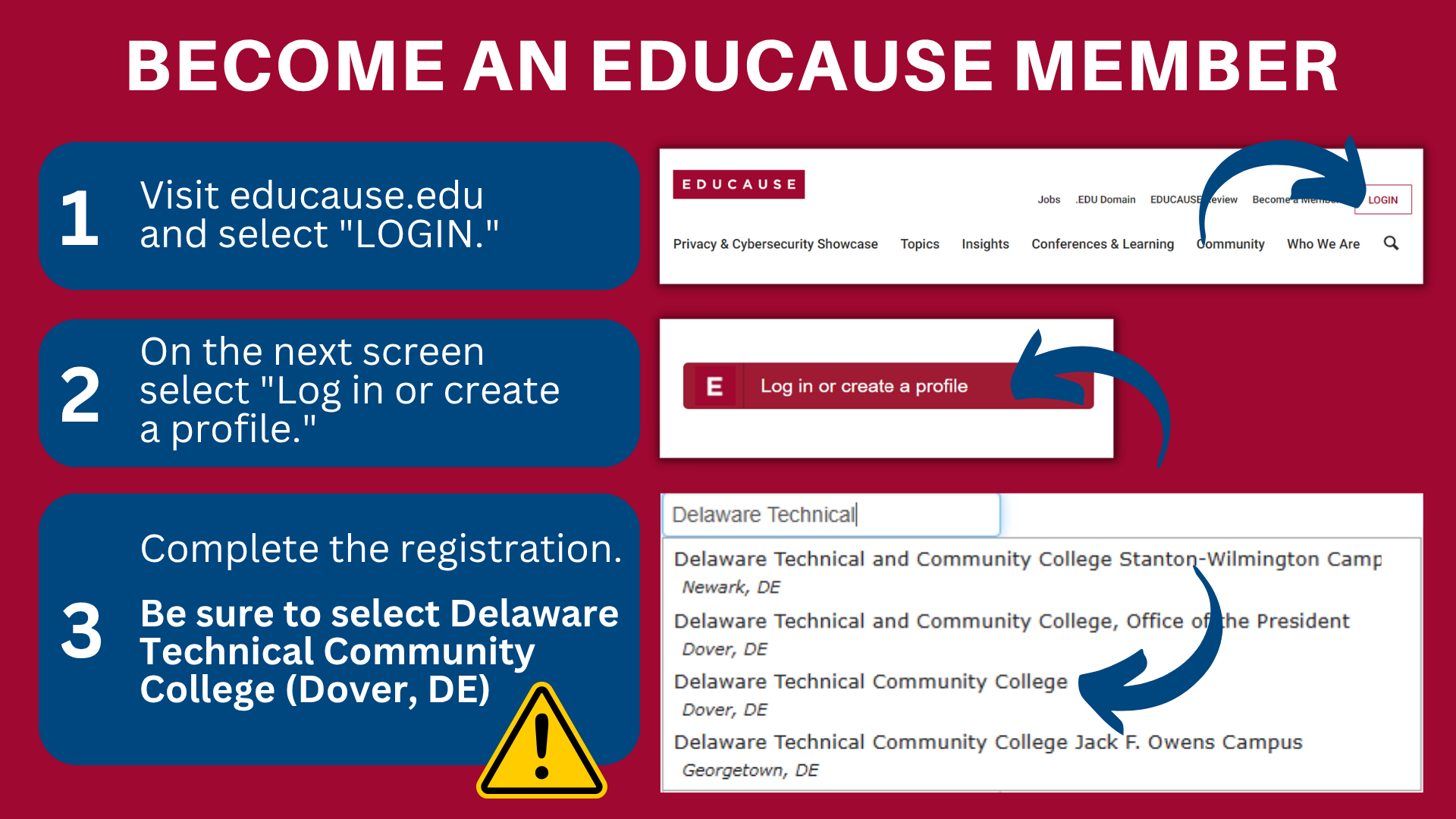
Delaware Technical Community College is a member of EDUCAUSE. This membership gives everyone at our college full access to a wide range of resources and opportunities in higher education technology. From timely research, articles, and analytics services to free webinars and exclusive QuickTalks, you’ll find tools to support your teaching and professional growth. Membership also includes special pricing on conferences and leadership programs, significant discounts on training courses, and access to sought-after content from partners like Gartner. Plus, you can connect with peers and experts, participate in mentoring, and explore volunteer opportunities, awards, and scholarships.
Please select Delaware Technical Community College (Dover, DE) when selecting your organization, regardless of your primary campus.

Training Spotlight
October is here, and we’re excited to continue learning alongside you! This semester’s Lunch and Learn series will explore how we can keep human connections at the heart of teaching while using technology to enhance learning. Our session on October 9 will explore how to strengthen human connections using Padlet, and our session on October 23 will discuss what to do when technology gets stuck.
On October 15, join us for three hands-on Reading Day sessions. The first two will focus on accessibility through captioning videos, writing meaningful alt-text and links, and making documents more student-friendly. One additional session focused on Distance Education will also be offered to support faculty. Each session offers practical strategies you can use right away to ensure all students feel supported and included.

Let Us Introduce D2L Academy!
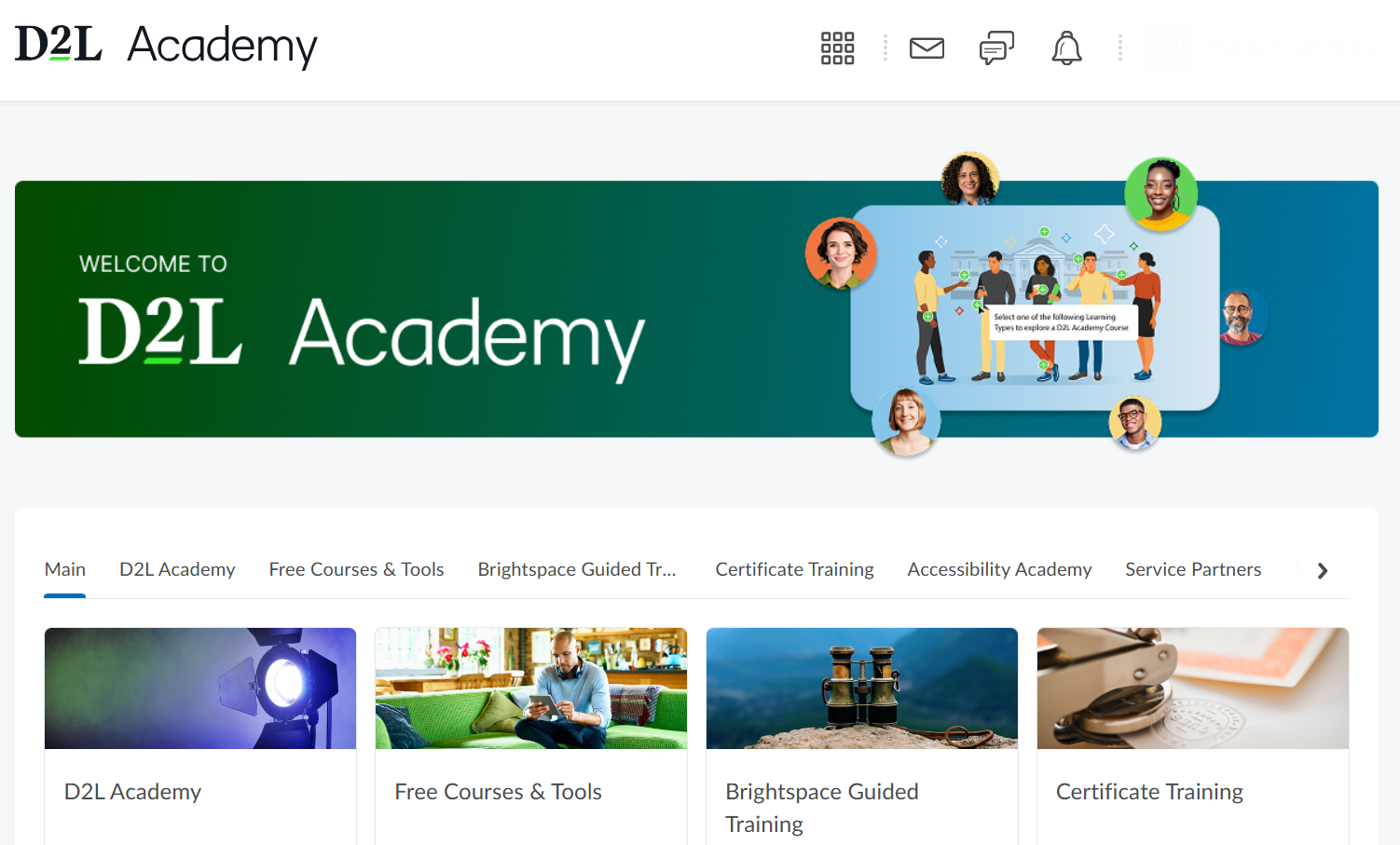
This summer, D2L Brightspace launched D2L Academy, a new training platform designed to help instructors build confidence and skills in D2L Brightspace. Faculty can log in with their Brightspace Community account to explore guided training, learn about features, and earn digital badges along the way. D2L Academy includes an Accessibility Lab to support making courses more inclusive and accessible, plus resources on applying Universal Design for Learning (UDL) principles directly in D2L Brightspace. It’s also a great place to get oriented if you’re new to the platform or want to deepen your knowledge. With a mix of hands-on practice and self-paced learning, D2L Academy makes professional development both practical and rewarding.

Accessibility Corner
See how one small choice can remove big barriers.
Digital accessibility isn’t extra. It’s the missing pieces that allow people of all abilities to participate and succeed. In this short video, you’ll see why accessibility matters, how small design decisions can make a big difference, and how building with access in mind benefits everyone.
Watch the video, mark your calendars for how-to sessions on October 15, and explore the resources on our Digital Accessibility webpage to learn practical ways to remove barriers and design digital spaces where every student can thrive from the start.

New: Print Quiz Feature
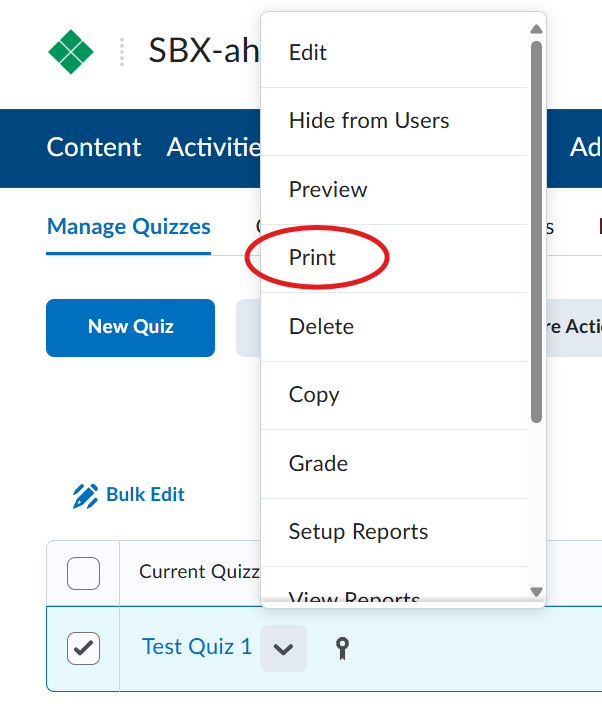
D2L Brightspace now has a built-in Print Quiz option, making it easier than ever to create paper copies of quizzes. Instructors no longer need to use the separate Print Quiz widget, and we’ll be phasing that tool out soon. To print a quiz, go to Activities > Quizzes, select your quiz, click the drop-down arrow next to it, and choose Print. This streamlined feature saves time and keeps everything right inside D2L Brightspace. For more detailed instructions, visit the Brightspace Community’s Print A Quiz article.