Moving to Version 5 (v5) HTML Templates
As part of CCIT’s ongoing efforts to streamline, improve, and ensure the accessibility of course materials, we’re transitioning to Version 5 (v5) of the HTML page templates. Unlike previous versions, v5 will receive ongoing updates, so faculty won’t need to manually replace template files in the future.
Please note: v3 and v4 templates will no longer be supported as of Aug 1, 2026.
Course content will remain intact, but older templates may lose visual formatting. To get started, read the Updating Your HTML Templates to V.5 document to learn how to check your HTML template version and to learn how to update your V.3, and V.4 templates. You can also watch template update tutorials on CCIT’s Updating Your HTML Templates Playlist. If you want some additional help, submit a support ticket and we’ll be happy to assist you.

Lunch and Learn Highlights
This semester’s Lunch and Learn series brought faculty together to explore practical teaching strategies, meaningful technology integration, student engagement, communication, and creative ways to enhance learning across modalities. Thank you to everyone who joined us live, shared ideas in the chat, and contributed to such engaging conversations throughout the semester. If you missed a session or would like to revisit a favorite topic, we encourage you to explore the recorded workshops and resources. As we wrap up the semester, we invite you to enjoy this highlight reel celebrating the ideas, energy, and collaboration that made this series such a success.

Using Brightspace Data to Support Student Success
Did you know that Brightspace contains powerful reporting tools that can help you identify struggling students, track course engagement, and craft meaningful outreach before it’s too late? In a recent Lunch and Learn session, our team explored how to use reports like Class Progress, Class Engagement, Content Reports, and Quiz Statistics to move beyond grades and get a fuller picture of how students are engaging with your course. Whether you’re looking to celebrate a high achiever or connect with a student who’s gone quiet, these tools can help you start the right conversation at the right time.

Faculty Year in Review Survey
As the academic year wraps up, we want to hear from you! Please take about 10 minutes to complete our Faculty Year in Review Survey, where you can reflect on your accomplishments, share strategies and resources that have worked well in your practice, and let us know where you’d like more support through professional development. Your responses are confidential and will directly shape the training and resources we offer in the coming year.
Do you have a teaching success story to share? Do you want to nominate someone for their awesome work? Contact Laura Thompson (lthomps8@dtcc.edu) or Amanda Hooper-Alcaraz (ahooper@dtcc.edu) to share your story and be featured in an upcoming edition of the newsletter!

Technology Resources Webpage
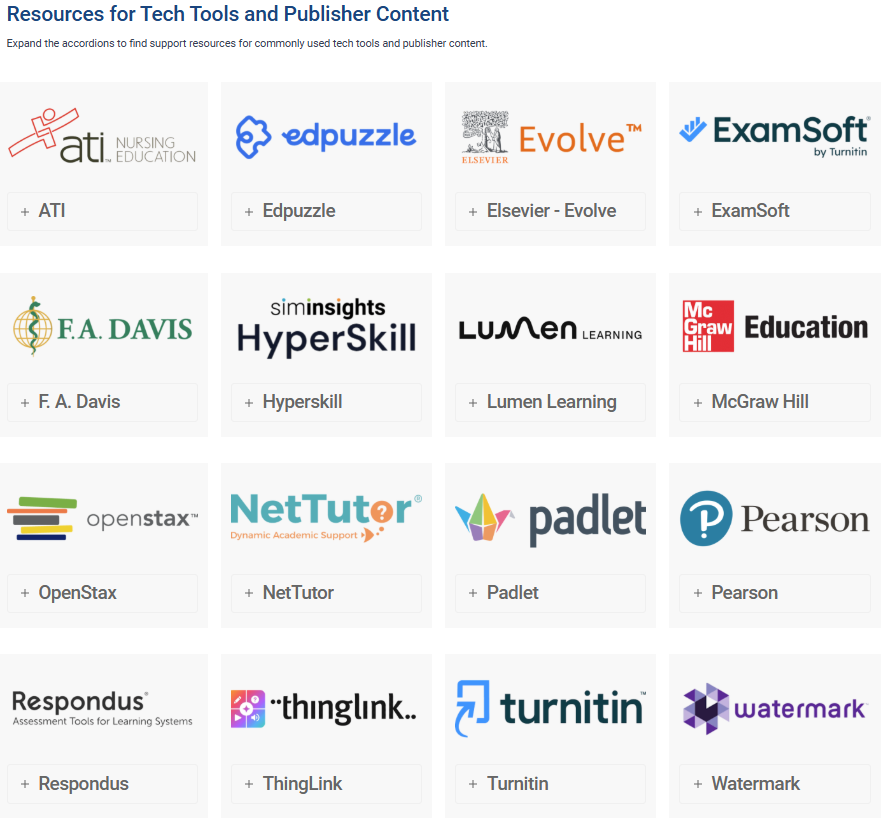
We’re excited to share the newly redesigned Technology Resources page on the CCIT website! The updated layout makes it easier to find support and guidance for the technology tools used across the college.
Resources are organized in alphabetical order, making it simple to scan for a specific platform or service. Whether you need help with Zoom, Turnitin, Brightspace tools, or other third-party technologies, this page brings key support articles, tutorials, and troubleshooting resources together in one convenient place. Take some time today to check it out!